Your Vault, Your Vectors — Building a Local-First MCP Server for Your PKM
Every external AI session starts cold and we spend too much time explaining context and background to our AI Models. Nooscope is a local MCP sidecar that keeps your vault queryable — and writable — from any AI client, entirely on-device.

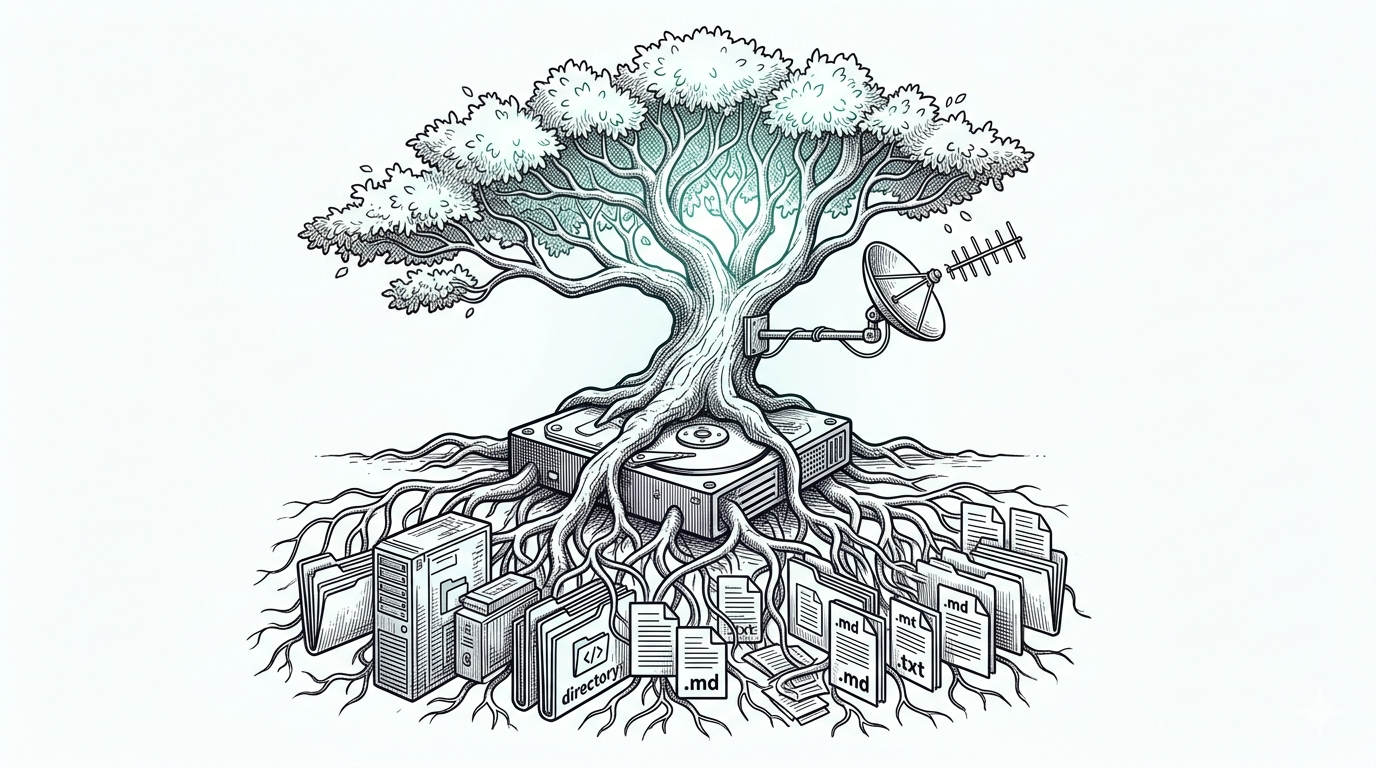
A few weeks ago, I wrote about escaping walled chat gardens — the frustrating reality that years of conversations with Claude, ChatGPT, and Gemini were locked inside proprietary silos with no guarantee of long-term access. The fix was a pipeline that funnels exported chat histories into local markdown, where they belong.
This post is the logical next step. It's about what happens when your knowledge vault — not just your chat history — has the same problem.
The Weekend That Started This
Over a recent weekend, I set up OpenBrain, a persistent memory layer for AI assistants built on Supabase and pgvector. It's a genuinely impressive project, and getting it running was satisfying in the way that setting up any piece of infrastructure is satisfying: the moment the first query comes back with a sensible result, you feel like you've built something that matters.
And then I sat with it for a bit. I even coded up a quick iOS app that lets you access that online repository, search it, and quickly inject information into it from your phone.
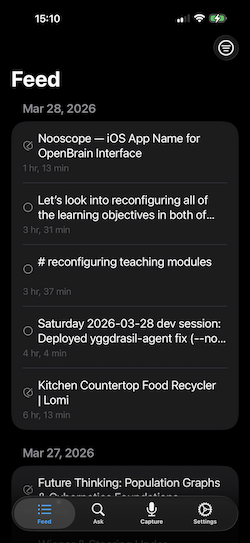
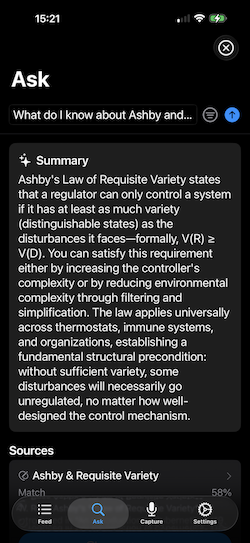
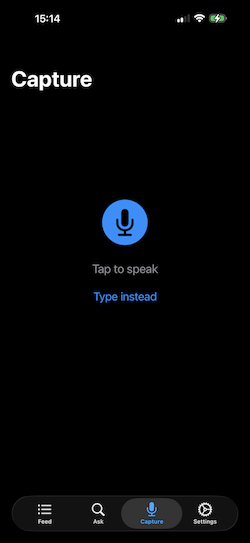
What I had done, I realized, was take my knowledge vault — the repository of 1,900+ markdown files that I've been building and maintaining for years, the thing I treat as canonical truth for my professional and intellectual life — and created a pipeline that ships its contents to Supabase, routes queries through OpenRouter, and surfaces results via whatever cloud LLM happens to be configured on the other end. The vault that I keep local, because I care about owning my data, was now being summarized by infrastructure I don't control, for reasons that had nothing to do with the value I was actually trying to get.
That's not a knock on OpenBrain. It's a well-designed project for people who want a managed, cloud-backed memory layer. But it made me articulate something I hadn't quite put into words before:
The whole point of a local vault is that it's local. Routing it through the internet to query it is not a feature. It's a concession. Moreover, it is a non-reversiable projection of the information in my vault—one cannot recreate my knowledge base from it.
The Gap Nobody Talks About
If you've been using Obsidian as my text interface along with some of the AI plugins — Copilot, Smart Connections, and the rest. This gives us a semantic search space that works, more or less. Notes get written and saved, the index is updated, and it lives somewhere inside.obsidian/plugins/. When you ask a question in the right mode, the plugin finds relevant chunks and feeds them to whatever LLM you've configured.
The semantic search is really clever, but we can consider it a very high-dimensional point—I'm currently embedding in just using text-embedding-3-small that, which projects into a normalized 1538-dimensional vector in a semantic space. Textual components are projected into this space, creating a high-dimensional point. Since these are normalized vectors, semantic similarity is simply cos(𝜽). That's great. Inside Obsidian. So if I'm in my current text editor, I can have it find things that are "like this document."
The moment you step outside — to Claude Desktop, to Claude Code/Gemini CLI running in a terminal, to any AI assistant that isn't your Obsidian plugin — that index is both invisible and irrelevant.
Your AI assistant always starts every session cold, with no knowledge of what's in your vault unless you paste it in manually or maintain some separate syncing arrangement.
The plugin ecosystem solved the in-editor experience. It didn't solve the external access problem.
The options on the table were:
- Cloud RAG services: Send your vault to someone else's infrastructure. Possible, but see above.
- Obsidian plugins: Work beautifully inside Obsidian. Dark from the outside. You could try embedding the AI in Obsidian, but that would further confine it to a single program.
- Manual context pasting: The status quo. Technically functional. Deeply tedious.
- Build a sidecar: Maintain a local index that travels with the vault and speaks a standard protocol that any external client can use.
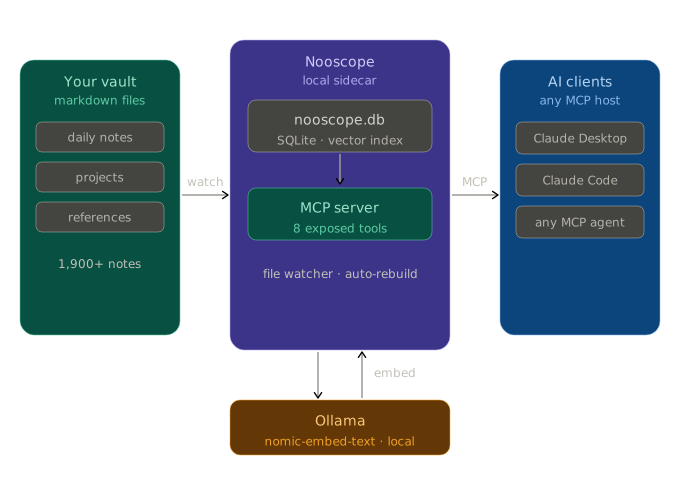
That last option is Nooscope, an intermediate tool that connects my knowledge vault to whatever generative model I'm using on the outside. I would no longer need to pull all my dialogs from various LLM memories and consolidate them into my vault (see Escaping Walled Chat Gardens—A Chat History Converter)—every AI client now has a persistent memory of my projects, my coding requirements, my perspectives, etc.
Obsidian Is Just an Editor
The reframe that made everything else click was this: Obsidian is not my knowledge system. My markdown files are my knowledge system. Obsidian is the current editor I've found for that folder of files — it's got bidirectional links, Dataview queries, graph view, a solid mobile client, and a plugin ecosystem that extends it in useful directions. But the knowledge lives in the files, not the application. But if you like a more elegant editor, say Bear.app, iA Writer, Ulysses, or VMCode (please no-I said elegant...), any solution will not be suitable as long as we believe that the interface is the content and not that the interface just facilitates the content.
If that's true, then building a search-and-retrieval layer within any editor's plugin system is the wrong attachment point for us. The right place to build it is alongside the PKM vault — a sidecar that any application can talk to, that doesn't care which editor you used to write the notes, and that keeps the index local because the notes are local.
This is how I think about Nooscope: it's not an Obsidian/Bear/Ulysees/VMCode plugin. It's a local service that happens to index a knowledge vault full of markdown and PDF files. I use Obsidian every day, but aesthetically it is a dry UI/UX experience—absolutely functional, yet not a beautiful, joyful interface to use. There are some really beautiful interfaces for working with Markdown that could apply just as easily to this context.
What Nooscope Actually Does
Nooscope maintains a SQLite database — nooscope.db — that lives alongside your vault and holds vector embeddings of your notes. The embeddings are generated locally via Ollama, using nomic-embed-text by default. No cloud, no API keys, no data leaving your machine.
It exposes those embeddings as tools via the Model Context Protocol (MCP)—the standard that enables AI assistants like Claude to communicate with external services. Register Nooscope with Claude Desktop or Claude Code, and your vault becomes semantically searchable from any session, without any copy-pasting, without any cloud routing, and without opening Obsidian at all.
The tool surface looks like this:
| Tool | What It Does |
|---|---|
search | Semantic vector search across all indexed notes |
read_note | Full content, frontmatter, and backlinks for any note |
get_backlinks | Every note linking to a given file |
list_notes | Browse by folder, tags, or recency |
vault_stats | Index counts and current status |
capture_thought | Queue a structured note for your inbox |
log_thought | Append a timestamped entry to today's daily note |
rebuild | Trigger a full vault reindex |
The first five are the read path — querying what's already there. The last three are the write path, which matters more than it might seem.
Closing the Loop: The Write Path
Most RAG setups are read-only. You ask a question, get relevant chunks, and that's the end of it. Nooscope isn't read-only, because a knowledge system that can't save new knowledge back into my vault during a conversation is only half useful, and one that makes me have to repeat myself about our recent activities.
capture_thought queues a structured note — title, tags, content — in the local SQLite database. Running nooscope flush (or letting the file watcher handle it) writes that note to your vault's inbox folder as a proper Obsidian markdown file, frontmatter and all, ready for review and linking. If you use file templates (say, for Project logs, Meeting notes, etc.), it will direct Obsidian to do that for you. Tags for all input that is derived from an LLM interaction, ✅.
log_thought does something slightly more surgical: it appends a logger:: bullet to the ## Notes section of today's daily note. If the daily note doesn't exist yet — maybe Obsidian hasn't been opened today, or you're running a late-night session from the terminal — Nooscope writes it from your Templater template, preserving the <% %> tags so Obsidian processes them on first open. The log entry is always queued in SQLite first, so nothing is lost even if the write fails. The watcher retries automatically.
The result is that a working session with Claude can do things like: search the vault for relevant prior work, read specific notes in full, capture a design decision as an inbox note, and log a milestone to the daily journal — all without switching to Obsidian and without any data touching the internet.
As a concrete example: this post was outlined during a conversation in which Claude searched the vault, read the Nooscope project note, reviewed recent daily log entries, and surfaced connections to my earlier ChatConverter post — all using Nooscope tools. The session produced a draft outline, which I've captured back to the vault. The loop closes, and I write the content.
With these tools in place, it is easy to layer on additional functionality such as:
- Daily Note: Read my calendar and reminders (todo) app for the day, make stub notes for any meetings I have with context (e.g., a Meeting with James event may be related to Quantitative Curriculum Assessment, and it will bring in the current state of those projects and have updates from previous meetings).
- Coding Practices: I have specific coding design metrics for any code I work on; these are documented in the vault and reviewed by an AI agent before it starts working with me.
- Project Status: My vault has specific projects for my reserach with design specs, status, projects, mathematical & statistical contexts, code bases (linked to GitHub), etc. The MCP interface allows me to ask whichever agentic model I'm working with something like, "What is the next step on the 3D Visualization Project for Genomic Covariance Analysis," and it finds relevant items from my vault and is up-to-speed.
- Updates: After any session with an AI model, you may want to save some of the content. "Save this to my vault," and Nooscope can then inject the content using the right formats, templates, links, tags, etc.
Getting It Running
Prerequisites are minimal. I work on a Mac and use Brew as a package system. So getting Python 3.11+, Ollama running locally withnomic-embed-text pulled.
ollama pull nomic-embed-text
I am sure there are methods to get this done on Windows machines (though see this). Install Nooscope via pipx (required for Claude Desktop, which runs in a macOS sandbox):
git clone https://github.com/dyerlab/nooscope.git
cd nooscope
pipx install .
Copy the example config and point it at your vault:
cp nooscope.yaml.example nooscope.yaml
# Edit: set vaults[0].path and vaults[0].db_path
Build the index (this takes a while on a large vault — go make coffee):
nooscope rebuild
Register with Claude Desktop by editing ~/Library/Application Support/Claude/claude_desktop_config.json:
{
  "mcpServers": {
    "nooscope": {
      "command": "/Users/<you>/.local/bin/nooscope",
      "args": ["serve"],
      "env": {
        "NOOSCOPE_CONFIG": "/path/to/nooscope.yaml"
      }
    }
  }
}
Restart Claude Desktop, check Settings → Developer for the server status, and ask it something about your vault. The full configuration reference — chunking strategies, multiple vaults, capture modes, file watcher setup — is in the README.
For some summary items, we can use an API call to Anthropic, though other providers are equally available. I suppose an OpenServer call would be a great addition to broaden impact. All of these are carried as environmental variables that your model will grab, or you can put your own values in the nooscope.yaml file.
What's Coming
The current implementation covers the core indexing and MCP server (Phases 1–3 of the original design). Several things are still in progress:
MOC notes as barycenters. A Map of Content is semantically the centroid of the notes it organizes. Rather than chunking MOC files directly — which produces a lot of redundant embedding content — the plan is to embed them as the weighted barycenter of their component embeddings. This makes the index geometry more honest about what MOCs actually are. And this is part of a similar project I'm working on that examines differences in scientific knowledge (as published content) when projected into semantic, NL, and frequency-dependent linguistic spaces. If you want to read more about that, here is the Linguistics Swift Library and the a tool (called ReviewerNumberTwo) that uses these concepts to look at "trendspotting" in academic reserach journals.
Building on this notion for a more general treatment in this context, cross_space_search will allow comparisons of the same corpus across different projections. The design includes multiple embedding backends for the same document: a standard semantic embedding alongside a frequency-dependent linguistic (FDL) embedding that captures vocabulary patterns rather than meaning. Querying across both spaces reveals something interesting: notes that share a topic but use completely different vocabulary, or, conversely, notes that use the same words but have diverged in meaning. This is particularly useful for research-heavy vaults where the same concept appears under different terminology across disciplines.
Apple Silicon backends. Ollama's nomic-embed-text is cross-platform and works fine. But on Apple Silicon, mlx and Apple's native NLEmbedding are faster and don't require Ollama running as a service. The architecture supports multiple backends; it's a matter of wiring them up, and then the user can decide whether they prefer to have Ollama handle it (or do it themselves, since they are not on Apple Silicon) or have it done on the device.
Local-First, Again
There's a thread running through everything I've been building with knowledge tools: your data should work for you without requiring an internet connection. The ChatConverter post was about keeping your AI conversation history in files you own. This post is about keeping your vault queryable from tools you use without shipping it to infrastructure you don't control.
Nooscope doesn't solve every problem, nor does it solve all my problems (insert jokes here for those of you who know me personally...). It doesn't have a pretty UI, it requires some comfort with configuration files, and if you're happy keeping everything inside Obsidian's plugin ecosystem, you probably don't need it. But if you're using an LLM and are tired of explaining every project and every context to your tools, or simply want your vault to be a first-class context source for any AI session — not just the ones that happen inside a specific application — then the sidecar approach is the right architecture.
The index is yours. The embeddings are local. The database travels with the vault.
The code is at github.com/dyerlab/nooscope. It's early, the API will evolve, and contributions are welcome — especially for additional embedding backends and alternative vault structures.
Related: Escaping Walled Chat Gardens — A Chat History Converter